
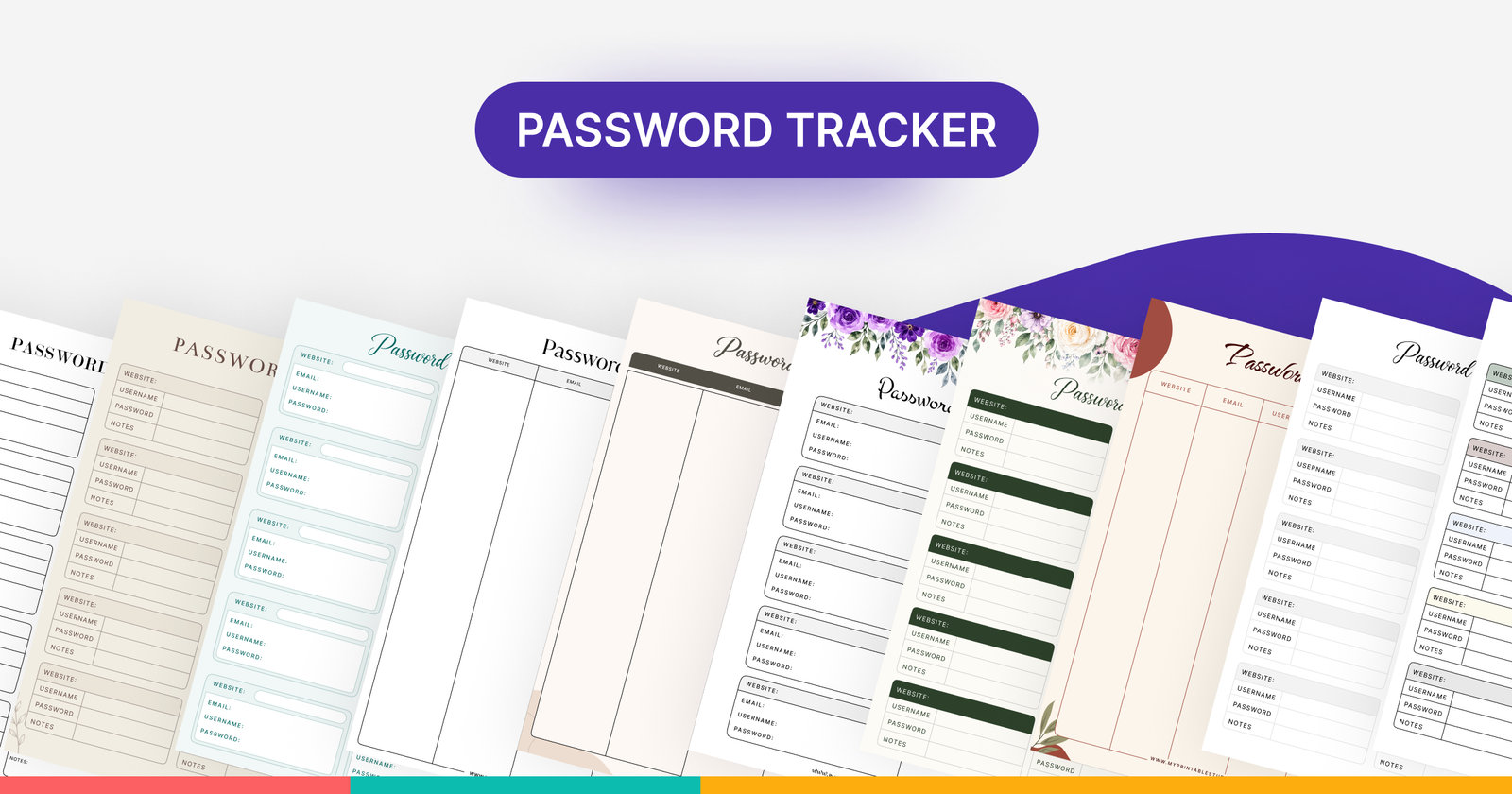
Keep your online account details neatly organized with this printable password tracker. This simple and practical password log includes four dedicated sections: Website, Username, Password, and Notes, giving you space to record important login information in one convenient place.
Use this printable password log to organize details for email accounts, websites, online shopping, subscriptions, and other personal accounts. The clean, easy-to-use layout makes it a helpful addition to your home office, planner, or personal organizer.
Download your free printable password tracker PDF and print it on A4 or US Letter paper. Keep your login records organized and store your completed sheet in a safe, private location to protect your sensitive information
Important: Store your completed password tracker in a secure, private location to help protect your sensitive login information.
What Is a Printable Password Tracker?
A printable password tracker is a simple paper-based tool that helps you keep your website login details organized in one place. Instead of trying to remember every username and password, you can use this handy password log to write down important account information and refer to it whenever needed.
A printable password tracker template typically includes dedicated spaces for Website, Username, Password, and Notes. These sections make it easy to identify each account, record the associated login details, and add useful reminders when necessary.
You can use a password tracker sheet to organize information for email accounts, online shopping websites, subscriptions, and other online services. Simply download the printable password tracker PDF, print it on A4 or US Letter paper, and fill it in by hand.
Whether you prefer a dedicated password log or a page stored inside your personal organizer, this printable template offers a straightforward way to manage your written login records. For better privacy, keep your completed sheet in a secure location, as it contains sensitive information.
What Is Included in a Printable Password Tracker?
This printable password tracker is designed to help you keep your login information organized in one easy-to-use sheet. With a simple layout and clearly labeled sections, you can record important account details without making your records complicated.
- Website: Write the name of the website, app, or online service associated with your account.
- Username: Record the username or email address you use to sign in.
- Password: Add the password associated with your account for easy reference.
- Notes: Include additional details or reminders related to the account, whenever needed.
This free printable password log is suitable for organizing personal websites, email accounts, online shopping profiles, and subscription services. Download the password tracker PDF and print it on A4 or US Letter paper for convenient use at home or in your office.
Privacy tip: Since this template can contain sensitive login details, keep your printed password sheet in a secure location where others cannot access it.
Printable Simple Password Tracker Portrait
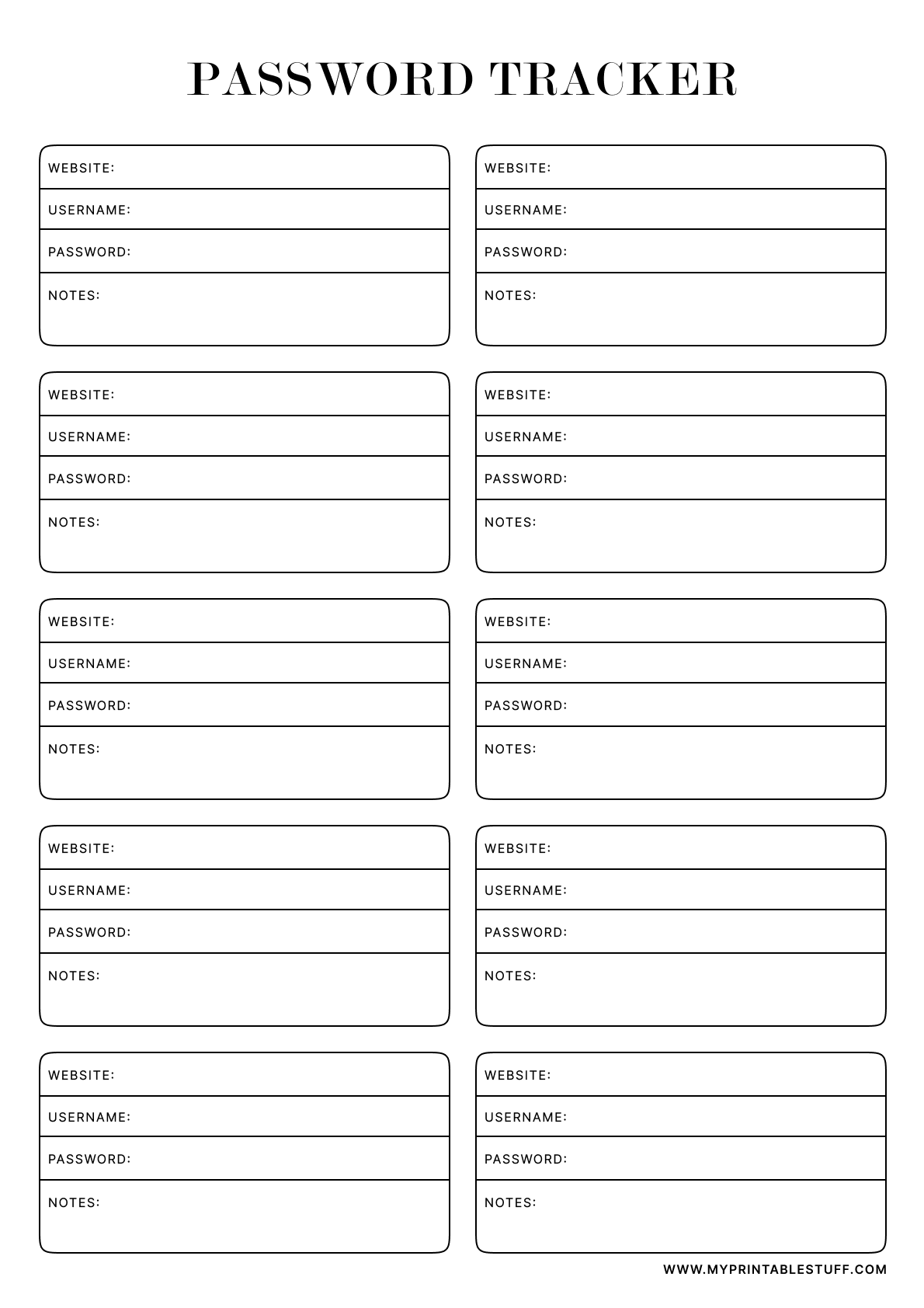
Keep your login details organized with this Printable Simple Password Tracker Portrait. This clean, easy-to-use template includes spaces for website names, usernames, passwords, and notes. Download the free PDF and print it on A4 or US Letter paper for convenient home or office use.
Printable Minimalist Password Tracker Portrait
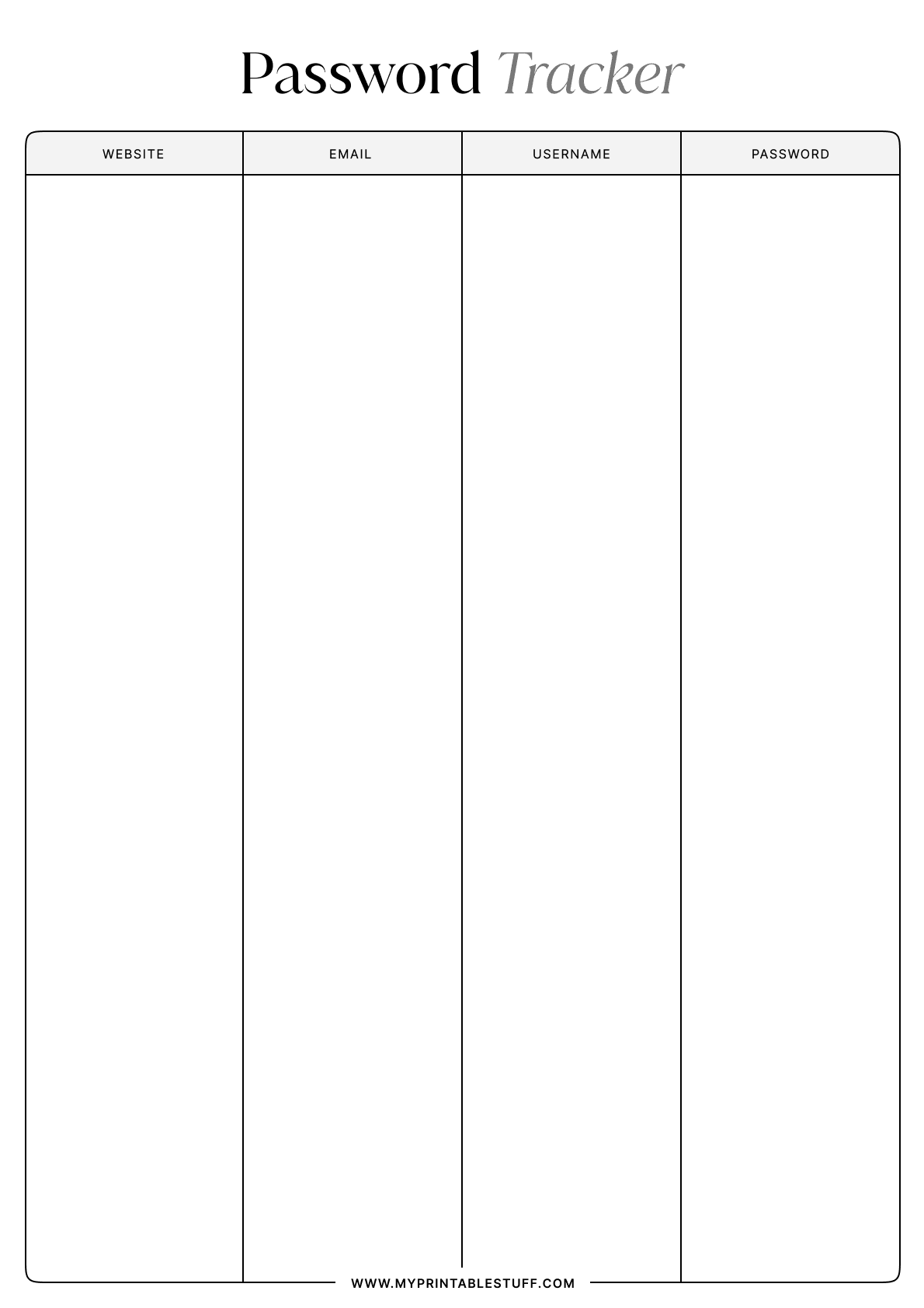
Keep your login information neatly organized with this Printable Minimalist Password Tracker Portrait. Featuring a clean, simple layout with dedicated spaces for websites, usernames, passwords, and notes, this printable PDF makes it easy to manage your account details. Download and print it on A4 or US Letter paper for personal or office use.
Printable Earthy Tone Password Keeper Portrait

Organize your account details with this Printable Earthy Tone Password Keeper Portrait. Featuring a warm, nature-inspired design and a practical layout, this password tracker provides space to record website names, usernames, passwords, and notes. Download the free printable PDF in A4 or US Letter size for convenient everyday use at home or work.
Printable Teal Elegance Password Tracker Portrait
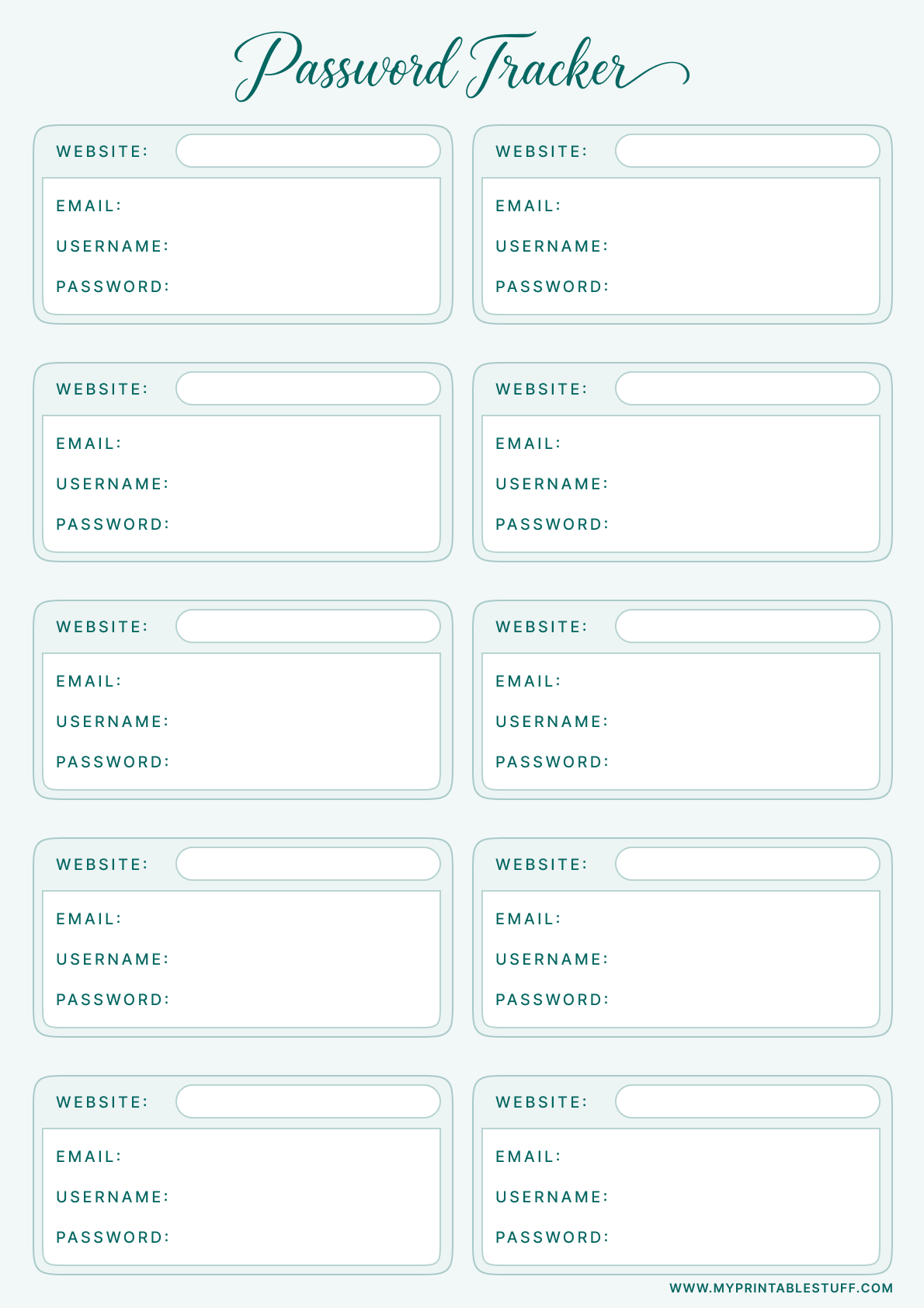
Keep your login details organized with this Printable Teal Elegance Password Tracker Portrait. Its elegant teal design and practical layout offer dedicated spaces for website names, usernames, passwords, and notes. Download the free printable password tracker PDF in A4 or US Letter size for easy printing and everyday reference at home or in the office.
Printable Soft Elegance Password Log Portrait
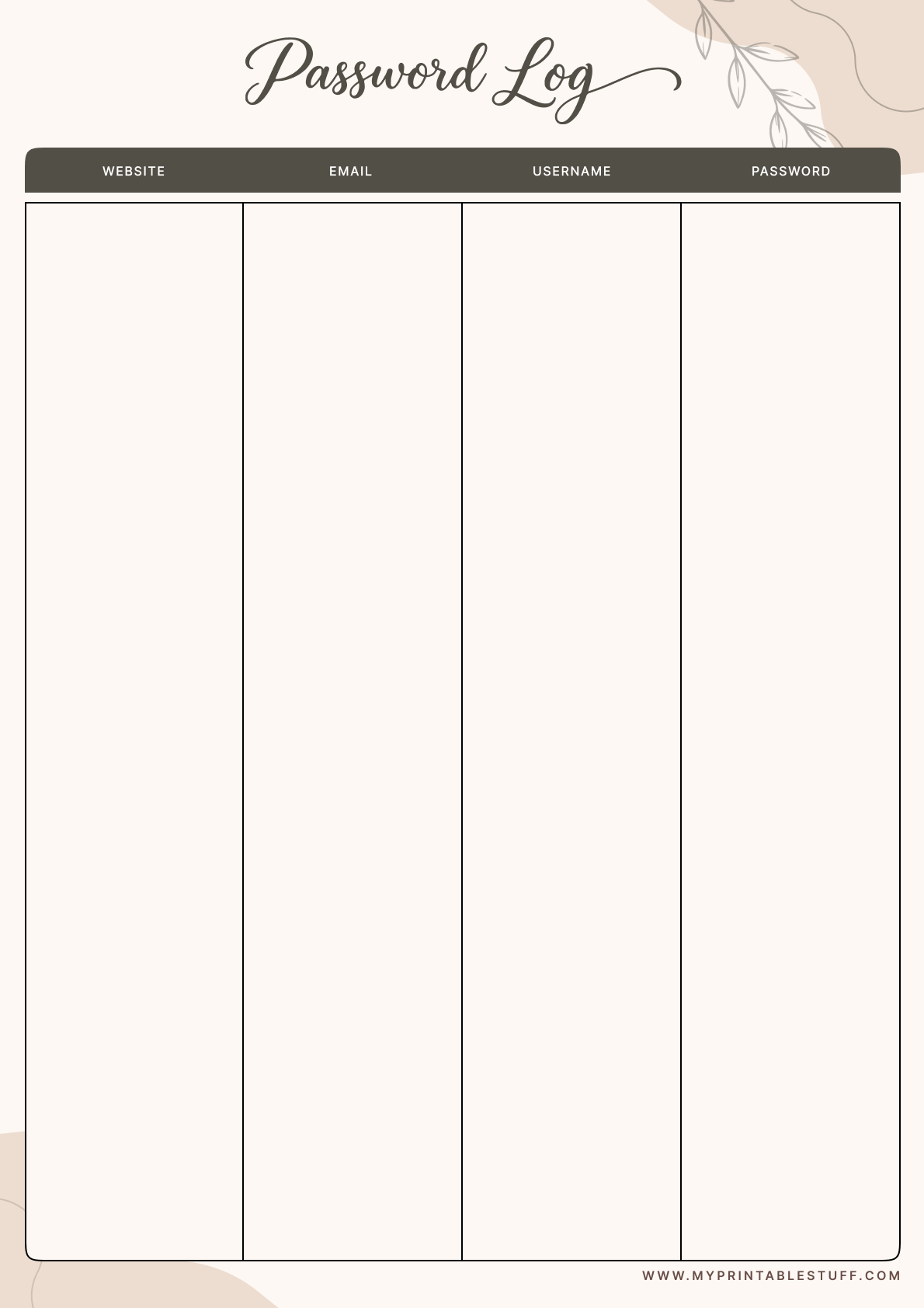
Keep your account information neatly arranged with this Printable Soft Elegance Password Log Portrait. Designed with a soft, elegant look, this printable template includes space for website names, usernames, passwords, and notes. Download the free password log PDF in A4 or US Letter size to print and use at home, work, or for personal organization.
Printable Lavender Floral Password Tracker Portrait
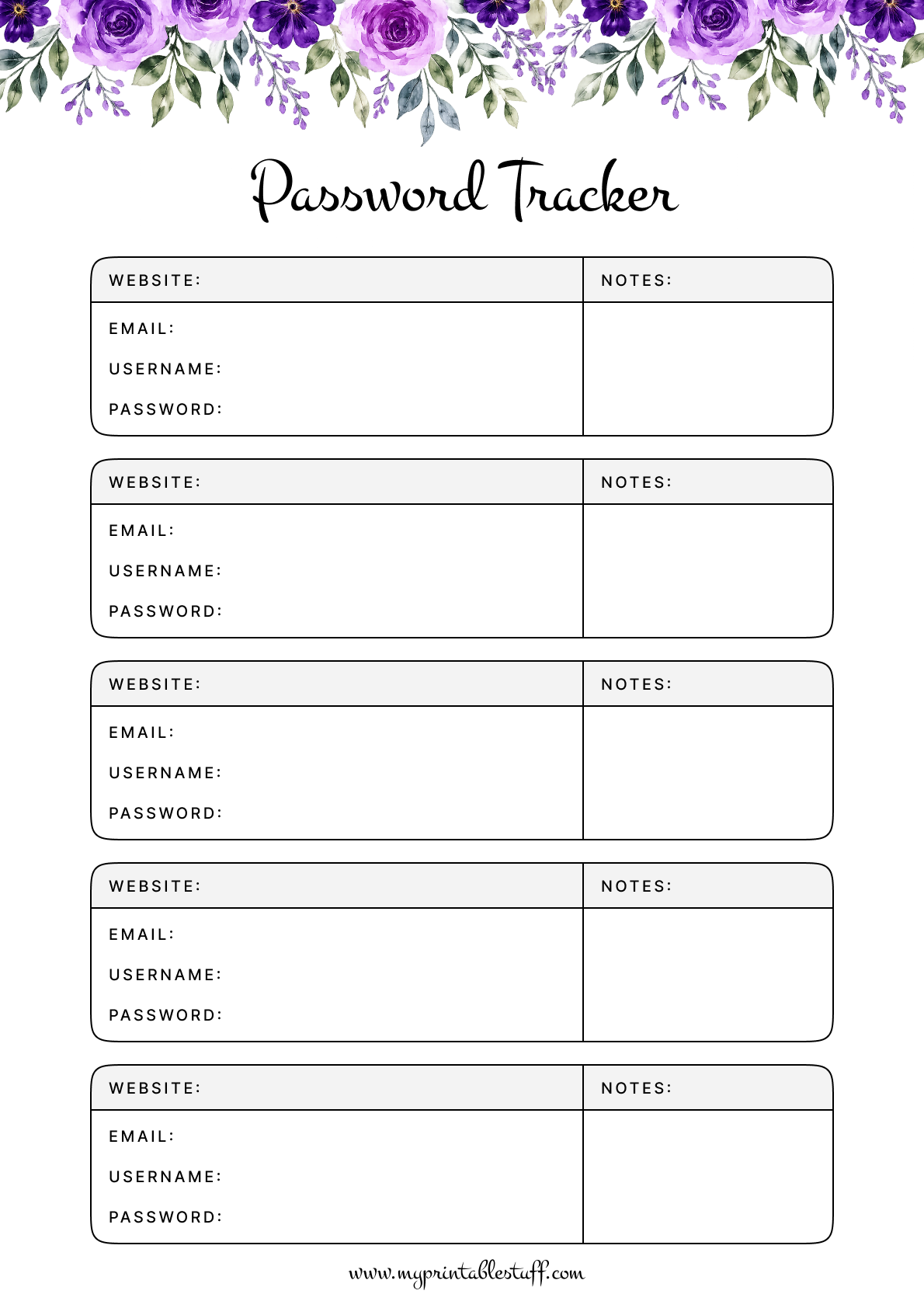
Keep your login details organized with this Printable Lavender Floral Password Tracker Portrait. Featuring a delicate floral style with lavender accents, this printable password log offers dedicated spaces for website names, usernames, passwords, and notes. Download the free PDF in A4 or US Letter size and print it for a simple, attractive way to keep your account information in one place.
Printable Aesthetic Floral Password Tracker Portrait
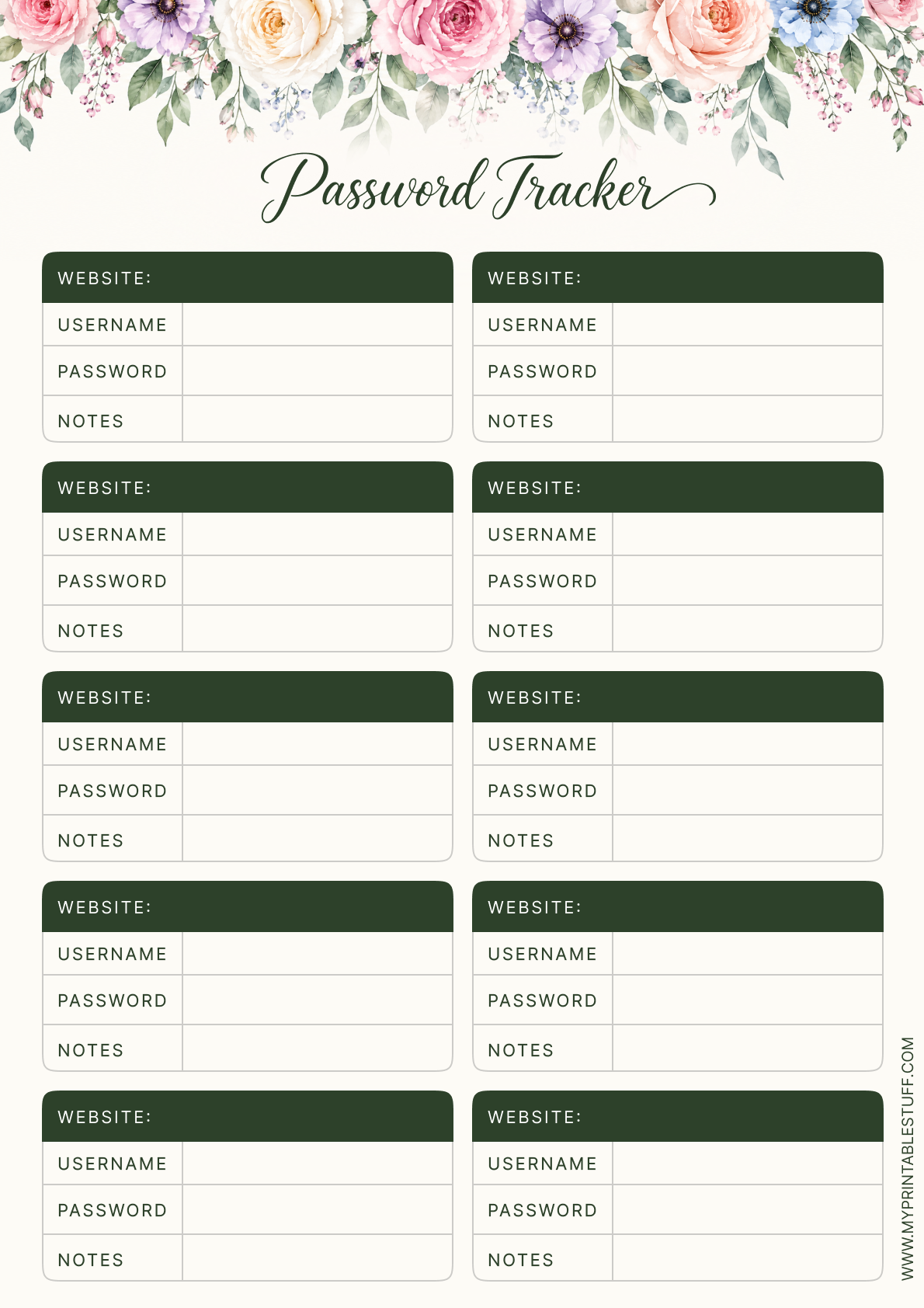
Organize your login details with this Printable Aesthetic Floral Password Tracker Portrait. Featuring a charming floral design and spaces for website names, usernames, passwords, and notes, this free printable PDF is available in A4 and US Letter sizes for easy printing and everyday use.
Printable Modern Aesthetic Password Tracker Portrait

Keep your account details organized with this Printable Modern Aesthetic Password Tracker Portrait. Featuring a sleek, contemporary design with spaces for websites, usernames, passwords, and notes, this free printable PDF is available in A4 and US Letter sizes for easy printing and everyday use.
Printable Classic Password Tracker Portrait

Keep your login information organized with this Printable Classic Password Tracker Portrait. Its timeless, easy-to-read layout includes space for website names, usernames, passwords, and notes. Download the free printable PDF in A4 or US Letter size for convenient everyday use.
Printable Elegant Password Tracker Portrait

Organize your login details with this Printable Elegant Password Tracker Portrait. Featuring a refined design with spaces for website names, usernames, passwords, and notes, this printable password log keeps your account information neatly arranged. Download the free PDF in A4 or US Letter size for easy printing.
Benefits of Using a Printable Password Log
Managing login information for multiple websites can become difficult when you have several accounts to remember. A printable password log offers a simple, paper-based way to record your website names, usernames, passwords, and additional notes on one organized sheet. Whether you use online shopping websites, email services, or subscription platforms, a printable password tracker can help you keep your written account records in order.
1. Keep Website Login Details Organized
A printable password log template gives you separate spaces for Website, Username, Password, and Notes. This clear structure helps you connect each set of login details to the correct website instead of searching through scattered notes or loose papers.
2. Find Account Information More Easily
When you maintain several online accounts, it can be challenging to remember which username belongs to each service. A password tracker sheet lets you refer to your written records when you need to identify the account details you previously recorded.
3. Enjoy a Simple and Convenient Format
A printable password tracker is easy to prepare and use. Download the password log PDF, print it on paper, and fill in the available sections by hand. You can start organizing your records without creating a spreadsheet or learning a new application.
4. Add Important Account Notes
The Notes section provides extra space for relevant reminders about individual accounts. You can use it to distinguish between similar website entries or record other non-sensitive information that helps you identify each account.
5. Create Additional Sheets Whenever Needed
Your list of online accounts may grow over time. With a printable password log template, you can print extra copies whenever you need more writing space. This makes it easy to expand your records without redesigning your personal filing system.
6. Keep a Physical Reference Copy
Some people prefer paper records because they can review handwritten information without opening a digital document. A printed password log can serve as a physical reference for the details you have recorded, provided you keep it updated and stored securely.
7. Print on Your Preferred Paper Size
A free printable password tracker PDF can be prepared for A4 or US Letter paper, making it suitable for common home and office printers. Once printed, you can place the sheet inside a folder, filing cabinet, or personal organizer.
8. Develop a Consistent Record-Keeping Habit
Using the same password tracker format for your accounts encourages a more consistent approach to organizing login information. Recording new entries as needed and reviewing your sheet periodically can help keep your written records accurate.
Make Your Password Log a Safer Record
A printable password log can be useful, but storing passwords on paper comes with security risks. Anyone who gains access to the sheet may be able to read the information written on it. Keep your completed password tracker in a locked, private location and avoid including unnecessary sensitive details. For stronger digital protection, consider a reputable password manager that encrypts stored credentials.
Organize Your Login Details With a Printable Password Tracker
A printable password log is a straightforward option for people who prefer a handwritten record of their website names, usernames, passwords, and notes. With its simple layout and flexible printing options, this password tracker template can help you maintain a more organized personal record of your online accounts.
Who Can Use a Printable Password Tracker?
A printable password tracker can be useful for anyone who wants a simple way to organize website names, usernames, passwords, and account-related notes. Whether you manage a handful of personal accounts or keep track of login details for different online services, this printable password log provides a straightforward format for recording information on paper.
Here are some people who may find a printable password tracker helpful.
1. Students
Students often use educational websites, online learning platforms, email accounts, and other digital services. A printable password log can help them organize their account details in one place and keep track of the usernames associated with different platforms.
2. Busy Professionals
People who regularly use work-related websites, communication platforms, and online tools may need a consistent way to record account information. A password tracker sheet offers a simple paper-based format for maintaining personal records separately from everyday work notes.
3. Families and Households
Households may use multiple online services for shopping, entertainment, utilities, and subscriptions. Adults can use a printable password tracker to organize their own account details and maintain clearer records of the services they manage.
4. Small Business Owners
Small business owners often work with websites, billing portals, business email accounts, and online service providers. A password log template can help them maintain a record of relevant account information. Business credentials should be stored securely, with shared access managed through appropriate business password-management tools.
5. Freelancers and Online Entrepreneurs
Freelancers may use separate platforms for client communication, project management, invoicing, website administration, and other business activities. A printable password tracker can provide a structured way to document their account details without mixing everything into unrelated notes.
6. Home Office Users
People who manage personal finances, online shopping, household subscriptions, and other services from home may appreciate having a dedicated place for written account records. A printable password log can be stored alongside other important household documents in a secure location.
7. People Who Prefer Paper Records
Not everyone enjoys organizing information in spreadsheets or digital applications. A printable password tracker is suitable for people who prefer handwriting their records, using clearly labeled sections, and keeping a physical reference sheet in a private file.
8. Anyone Managing Multiple Online Accounts
If you have accounts across different websites and services, keeping track of usernames and related information can become challenging. A printable password tracker helps organize entries under four simple headings: Website, Username, Password, and Notes.
Is a Printable Password Tracker Right for You?
A free printable password tracker is a practical choice if you prefer a straightforward, handwritten method of organizing account details. You can download the password tracker PDF, print it on A4 or US Letter paper, and fill it in as needed.
Remember to protect your completed password log because it contains sensitive information. Keep it somewhere secure and private. If you need to manage many passwords or access them across multiple devices, a reputable encrypted password manager may be a safer and more convenient option.
Choose a printable password log template that fits your record-keeping needs and makes organizing your online account information easier.
How to Use a Printable Password Tracker
A printable password tracker is an easy way to organize your website login details on paper. If you prefer handwriting your account information instead of maintaining a digital list, this password log template gives you a simple layout with four sections: Website, Username, Password, and Notes. Follow these steps to make the most of your printable password tracker.
1. Download and Print the Password Tracker
Start by downloading your printable password tracker PDF. Choose A4 or US Letter paper according to your preference and printer settings. Print a copy with clear, readable text so you have enough space to fill in your account information neatly.
2. Write the Website Name
In the Website section, enter the name of the website or online service associated with your account. Using recognizable names makes it easier to identify the correct entry when you review your password log later.
3. Record Your Username
Enter the username or email address you use to sign in to that website. Double-check the spelling to help avoid confusion between accounts with similar names or login details.
4. Fill In the Password Section
Use the Password column to record the relevant password if you choose to maintain a written record. Write carefully so that letters, numbers, and special characters are easy to distinguish. Because this section contains sensitive information, keep the completed sheet somewhere secure and private.
5. Use the Notes Section When Needed
The Notes section provides additional space for useful account-related reminders. You can use it to distinguish between similar entries or record non-sensitive details that help you identify an account. Avoid writing recovery codes, security answers, or other highly sensitive information on a sheet that could be exposed.
6. Keep Your Records Updated
Whenever you create a new account or change an existing password, review your written record and update it if necessary. Remove outdated entries securely rather than leaving old login details scattered across multiple sheets.
7. Store Your Password Log Safely
Once you have completed your printable password tracker, place it in a secure location, such as a locked drawer or private filing cabinet. Avoid leaving it on a desk, beside your computer, or anywhere visitors can easily see it.
Tips for Using a Printable Password Tracker Effectively
- Write neatly so each website and username is easy to identify.
- Use a separate entry for every account.
- Check your records when you change login details.
- Keep the printed sheet away from unauthorized access.
- Consider an encrypted password manager if you need to store and access many passwords across different devices.
Make Account Organization Simple With a Printable Password Log
Using a printable password tracker does not need to be complicated. Download the password log template, print it on A4 or US Letter paper, and fill in the Website, Username, Password, and Notes sections as needed. With a consistent approach to recording and maintaining your information, you can keep your written account records organized and easier to review.
Security reminder: A paper password tracker is not encrypted. If someone obtains the sheet, they may be able to read the information on it. For sensitive accounts, consider using a reputable password manager that securely encrypts your stored credentials.
How to Organize Website Usernames and Passwords
Keeping track of login details for multiple websites can become confusing when usernames, email addresses, and passwords are spread across different notes or documents. A simple system can make your account information easier to manage. Using a printable password tracker is one practical option for organizing website names, usernames, passwords, and additional notes in a consistent format.
1. Start With a Printable Password Tracker
Choose a printable password tracker template that suits your needs. A well-organized password log with clearly labeled sections for Website, Username, Password, and Notes gives you a consistent place to record account information.
Download the password tracker PDF and print it on A4 or US Letter paper if you prefer maintaining a handwritten record.
2. List Your Websites Clearly
Begin by writing the name of each website or online service in the Website column. For example, you might have accounts for online shopping, email, entertainment subscriptions, or educational platforms.
Using recognizable website names helps you identify each entry without confusing one account with another.
3. Record the Correct Username or Email Address
Some websites use a custom username, while others require an email address to sign in. Enter the correct login identifier in the Username section and check it for spelling mistakes.
If you have multiple accounts on the same website, create a separate entry for each one.
4. Keep Password Records Accurate
If you choose to write passwords on paper, record them carefully and update the entry whenever the password changes. Pay attention to uppercase letters, lowercase letters, numbers, and special characters to avoid errors.
For greater security, consider using a reputable password manager to generate and store unique passwords rather than keeping sensitive credentials on an unprotected sheet.
5. Use the Notes Section Wisely
The Notes column can help you distinguish between similar accounts or record general reminders. Keep these notes brief and avoid including sensitive recovery information, security answers, or other details that could make your accounts easier to compromise.
6. Review Your Account List Regularly
Your online accounts may change over time. Review your password tracker occasionally to correct outdated usernames, update changed passwords, and remove entries for accounts you no longer use.
When disposing of a paper record that contains passwords, securely destroy it instead of throwing it away intact.
7. Store Your Records in a Secure Location
If you maintain a printed password log, keep it in a private, locked location. Avoid leaving it near your computer, on your desk, or in a place where visitors or other unauthorized people can access it.
For accounts that contain financial, personal, or business information, an encrypted password manager is generally a safer choice than a handwritten list.
Why Use a Printable Password Log to Organize Login Details?
A printable password log provides a straightforward way to arrange account information using a consistent layout. Rather than keeping unrelated notes in different places, you can use one template to organize website names, usernames, passwords, and relevant reminders.
A free printable password tracker is especially useful for people who prefer writing information by hand and want a simple paper-based record. You can download the password tracker PDF, print it on A4 or US Letter paper, and fill in the sections as needed.
Keep your login information organized and protected. Choose a record-keeping method that fits your routine while prioritizing the security of your online accounts.
Printable Password Tracker for Home and Office
Keeping website login details organized can be helpful at home and in the workplace. From personal email accounts to business websites and online services, people often manage several usernames and passwords throughout the day. A printable password tracker offers a straightforward way to record account information using a simple paper-based format.
This printable password log template includes four useful sections: Website, Username, Password, and Notes. Each section has a specific purpose, helping you arrange your written records in a consistent and easy-to-follow layout.
Printable Password Tracker for Home Use
At home, you may use different websites for online shopping, entertainment subscriptions, email, household services, and personal projects. Keeping track of these accounts can become challenging when login details are scattered across different notes.
A printable password tracker helps you maintain a dedicated record of the account information you choose to write down. You can use the Website column to identify each service, the Username column for your login name or email address, and the Notes section for relevant reminders.
Keep your completed password log in a secure, private place to prevent other people from viewing your personal information.
Printable Password Tracker for Office Use
Office work often involves accessing business websites, project management platforms, communication tools, and online service accounts. A consistent record-keeping format can help individuals organize their own login information more systematically.
A printable password tracker may be useful for maintaining personal work-related account records or documenting non-sensitive account details. However, business passwords should be managed according to your organization’s security policies. Avoid storing shared company credentials on unsecured paper, and use an approved password manager when available.
Why Choose a Printable Password Log?
A printable password log is easy to prepare and convenient for people who prefer handwriting their records. You can download the password tracker PDF, print a copy, and fill in the available sections whenever necessary.
Here are a few practical advantages:
- Simple layout: Four clearly labeled sections help you organize website and login information.
- Flexible use: Suitable for maintaining personal records at home or keeping permitted individual work records.
- Easy to print: Choose A4 or US Letter paper according to your needs.
- Extra writing space: Print additional copies whenever your record grows.
- Personal organization: Keep related account entries together rather than scattered across loose notes.
How to Use Your Home and Office Password Tracker
Start by writing the website name in the Website column. Add the corresponding username or email address, then fill in the Password section only if you have chosen to maintain a written password record. Use Notes for brief, relevant reminders.
Review your entries when account details change, and securely destroy outdated sheets containing sensitive information. Store any completed password log in a locked location away from visitors and unauthorized access.
Download Your Printable Password Tracker PDF
Whether you want to organize personal website accounts at home or maintain an appropriate individual record for office use, this printable password tracker provides a clean and practical format. Download the free password tracker PDF and print it on A4 or US Letter paper to get started.
Security tip: A printed password list is not encrypted and can expose your accounts if someone obtains it. For sensitive personal or business credentials, consider using a reputable password manager with encryption and unique passwords for each account.
Why Keep a Written Record of Your Login Details?
With so many websites, apps, and online services requiring an account, remembering every username and password can become difficult. A written record of your login details can provide a simple way to organize the information you choose to keep on paper. Using a printable password tracker helps you arrange website names, usernames, passwords, and notes in a clear, consistent format.
1. Keep Account Information Organized
When you use multiple websites, your login details can easily become scattered across notebooks, loose papers, or unrelated documents. A printable password log gives you a dedicated place to record your account information, making your written records easier to review.
2. Identify the Correct Username for Each Website
Some accounts use an email address, while others require a unique username. Recording the website name alongside the appropriate username helps you distinguish between accounts and find the relevant information more easily when needed.
3. Reduce Confusion Between Multiple Accounts
You might have several accounts for shopping, subscriptions, work, or personal projects. A password tracker sheet lets you create a separate entry for each account instead of mixing unrelated login details together.
4. Keep Relevant Account Notes Together
The Notes section of a printable password tracker provides space for brief reminders or details that help you identify an account. Keeping these notes beside the corresponding website entry can make your written records more useful. Avoid including sensitive recovery codes or security answers.
5. Maintain a Consistent Record-Keeping Routine
A dedicated password log template gives you a standard format for recording new account details. When you create an account or change information, you can review your records and update them where appropriate.
6. Have a Physical Reference When You Prefer Paper
Some people feel more comfortable writing information by hand than managing a spreadsheet or digital document. A printable password tracker offers a familiar paper-based option that can be stored with other personal documents in a secure location.
7. Organize Personal and Everyday Accounts
From email and online shopping to entertainment subscriptions and household services, many everyday activities involve online accounts. A printable password log can help you maintain a structured record of the account information you decide to document.
How Can a Printable Password Tracker Help?
A printable password tracker makes written record-keeping straightforward by providing four clearly labeled sections:
- Website: Identify the website or online service.
- Username: Record the username or email address used to sign in.
- Password: Write down the associated password if you choose to keep a paper record.
- Notes: Add brief, relevant reminders about the account.
You can download a printable password tracker PDF and print it on A4 or US Letter paper. Fill in the sections by hand and review your entries whenever your account details change.
Keep Your Login Records Secure
Although a written password record can be convenient, paper has an important limitation: anyone who obtains the sheet may be able to read its contents. Keep your completed password log in a locked, private place, and securely destroy outdated copies.
For stronger protection, consider a reputable password manager that encrypts stored credentials and helps you use a unique password for every account. Avoid keeping sensitive passwords in an unsecured document or sharing your written records with others.
Make Your Account Information Easier to Manage
Keeping a written record of login details can be helpful if you prefer a simple, organized approach to personal record-keeping. A free printable password tracker provides a practical layout for recording website names, usernames, passwords, and notes without making the process complicated.
Download your printable password log template, choose A4 or US Letter paper, and create a personal record that suits your needs while keeping security a priority.
How to Store Your Printable Password Log Safely
A printable password log is a convenient way to organize website names, usernames, passwords, and account-related notes on paper. However, because this information can provide access to your online accounts, choosing a safe place to store your password tracker is just as important as keeping it organized.
Whether you use a password tracker at home or in your office, a few simple precautions can help protect your written records from unauthorized access.
1. Keep Your Password Log in a Locked Location
After filling in your printable password tracker, place it inside a locked drawer, filing cabinet, or secure document box. Avoid leaving the sheet on your desk, beside your computer, or in another visible location where visitors or other people could read it.
2. Choose a Private Storage Spot
Select a consistent location where you can keep your password log without exposing it to others. A private storage area makes it easier to find your records when needed while reducing the chance of someone accessing them without permission.
3. Avoid Carrying Your Password Tracker Everywhere
Keeping your completed password log in your wallet, handbag, or laptop bag can increase the risk of losing it. If the sheet contains login credentials, store it in a secure place rather than carrying it around unnecessarily.
4. Do Not Share Your Password Log Casually
Your printable password tracker may contain information connected to personal email accounts, shopping websites, subscriptions, or other online services. Avoid lending the sheet, photographing it for convenience, or sharing copies through unsecured messages.
If someone else needs access to a shared account, use an appropriate, secure sharing method instead of handing over your entire password list.
5. Keep Your Password Records Up to Date
Review your password log whenever you change a password, update a username, or close an account. Outdated information can cause confusion and make your records less useful.
When replacing an old sheet, securely destroy the previous copy rather than throwing it away with the login details still visible.
6. Limit the Information You Write Down
Use the Website, Username, Password, and Notes sections only for information you genuinely need to record. Avoid adding unnecessary personal information, payment details, account recovery codes, or security-question answers to your printed password tracker.
The less sensitive information you keep on paper, the less information could be exposed if the sheet is lost or accessed by someone else.
7. Take Extra Care With Office Password Logs
If you use a printable password tracker for work, follow your organization’s password and information-security policies. Business credentials may require controlled access, and storing them on an ordinary paper sheet may not be permitted.
For shared work accounts, use an organization-approved password manager or another secure credential-management method.
8. Consider a Secure Digital Alternative
A paper password log is easy to print and use, but it does not offer encryption or automatic security features. A reputable password manager can encrypt stored credentials, help create unique passwords, and make account access more convenient across devices.
If you manage numerous accounts or store sensitive financial and business credentials, a password manager is generally a safer choice than a handwritten password list.
Common Mistakes to Avoid When Storing a Password Log
Here are a few habits worth avoiding when using a printable password tracker:
- Leaving your password sheet in an open or shared workspace.
- Keeping multiple outdated copies with old passwords.
- Sharing the complete password log when only one account needs to be accessed.
- Writing sensitive recovery information in the Notes section.
- Discarding a password sheet without securely destroying it.
- Assuming a hidden sheet is protected even when other people can access its storage location.
Keep Your Printable Password Tracker Private and Protected
A printable password tracker can help you organize website names, usernames, passwords, and notes in one place. To use it responsibly, combine a clear record-keeping routine with secure storage habits.
Download your printable password tracker PDF, print it on A4 or US Letter paper, and fill in the sections as needed. Keep the completed sheet in a locked, private location and consider an encrypted password manager for sensitive credentials.
Remember: The purpose of a password log is to make account information easier to manage without making it easier for someone else to access your accounts. Always put security first.
Printable Password Tracker vs. Digital Password Manager
Keeping track of website usernames and passwords can become challenging when you have accounts across multiple websites, apps, and online services. Two common ways to manage login information are a printable password tracker and a digital password manager. Both offer different approaches to organizing account details, and understanding their differences can help you choose the method that fits your needs.
A printable password tracker is a paper-based template where you can write your website names, usernames, passwords, and notes. A digital password manager is a software tool designed to store and manage credentials electronically, often with encryption and additional security features.
What Is a Printable Password Tracker?
A printable password tracker is a simple password log that you download, print, and complete by hand. It usually includes dedicated sections for Website, Username, Password, and Notes, allowing you to record your login information in an organized format.
This option may appeal to people who prefer handwriting information or want a physical record for personal organization. You can print a password tracker PDF on A4 or US Letter paper and keep the completed sheet in a secure location.
Benefits of a printable password tracker:
- Easy to download, print, and fill in by hand.
- Simple layout for recording website names and usernames.
- No dedicated software or application required.
- Suitable for people who prefer paper-based record-keeping.
- Additional copies can be printed whenever more space is needed.
Limitations to consider:
- Anyone who obtains the completed sheet may be able to read the passwords.
- Password changes must be updated manually.
- A paper sheet cannot automatically fill in login details.
- Losing the sheet may expose the information recorded on it.
- It does not provide built-in encryption or automatic password generation.
What Is a Digital Password Manager?
A digital password manager is an application or service that securely stores login credentials. Depending on the product, it may offer encrypted storage, password generation, automatic form filling, synchronization between devices, and security alerts.
Instead of writing every password on paper, you can save your credentials in the password manager and retrieve them when needed. Many services also support unique passwords for individual accounts, helping reduce the risks associated with password reuse.
Benefits of a digital password manager:
- Encrypted storage helps protect saved credentials.
- Can generate strong, unique passwords for different accounts.
- May automatically fill in usernames and passwords.
- Can synchronize information across supported devices.
- Makes it easier to manage a large number of online accounts.
- Some services provide secure credential sharing and security checks.
Limitations to consider:
- You need to choose a trustworthy provider and configure it securely.
- Some features may require a paid subscription.
- Access can depend on your device, internet connection, or account recovery options.
- Weak master passwords or compromised accounts can create security risks.
- Users need to understand and maintain the manager’s security and recovery settings.
Printable Password Tracker vs. Digital Password Manager: Key Differences
| Feature | Printable Password Tracker | Digital Password Manager |
|---|---|---|
| Format | Paper template | Application or software |
| Setup | Download and print | Install or create an account |
| Recording details | Written by hand | Saved electronically |
| Password updates | Manual changes | Usually easy to update |
| Encryption | Not available | Commonly available |
| Automatic login | No | Often available |
| Password generation | No | Often available |
| Best suited for | Simple paper-based records | Managing multiple online accounts securely |
Which Option Is Better for You?
The right choice depends on how you manage your online accounts and how much security your information requires.
Choose a Printable Password Tracker If:
- You prefer writing account details by hand.
- You want a straightforward template for personal record-keeping.
- You need a simple layout with Website, Username, Password, and Notes sections.
- You can keep the completed sheet securely stored and restrict access to it.
Choose a Digital Password Manager If:
- You have many online accounts to manage.
- You want help generating strong, unique passwords.
- You frequently sign in across different devices.
- You want encrypted storage and convenient password autofill.
- You need a more scalable way to organize sensitive credentials.
For most people managing numerous personal, financial, or work-related accounts, a reputable password manager with strong security settings is the safer everyday option. A printed password tracker can still be useful for limited record-keeping, but it should not be treated as a secure substitute for encrypted storage.
Can You Use a Printable Password Tracker and a Password Manager Together?
Yes, but it is important to avoid creating unnecessary copies of sensitive information. You might use a printable password tracker to organize non-sensitive website information, usernames, or general account notes while keeping actual passwords in an encrypted password manager.
If you decide to write passwords on paper, store the completed sheet in a locked, private location. Avoid keeping multiple copies or sharing the document casually.
Tips for Keeping Your Online Account Details Organized
Managing multiple online accounts can become confusing when you have different usernames, email addresses, and passwords for various websites. From shopping platforms and email services to subscriptions and personal websites, keeping track of your login information requires a consistent approach. A printable password tracker can help you organize these details in a clear format and maintain a more structured record of your accounts.
Whether you prefer a paper-based password log or a digital password manager, these practical tips can help you keep your online account information organized.
1. Create a Dedicated Record for Your Accounts
Start by choosing one reliable method for organizing your login information. Instead of writing account details on random pieces of paper, maintain a dedicated password log or use a reputable password manager.
A printable password tracker provides four simple sections: Website, Username, Password, and Notes. This layout helps you associate each set of login details with the correct website.
2. Use Clear Website Names
Write the name of each website or online service clearly so you can identify the correct account when reviewing your records. If you use several accounts on the same platform, create a separate entry for each one.
Clear labels reduce confusion and make your password tracker easier to navigate.
3. Keep Usernames and Email Addresses Accurate
Some websites allow you to sign in with a username, while others require an email address. Record the correct login identifier and double-check its spelling before saving the information.
This small habit can help prevent confusion when you need to find the details associated with a particular account.
4. Use a Unique Password for Every Account
Avoid using the same password across multiple websites. If one service experiences a data breach, reused passwords can put your other accounts at risk.
A reputable password manager can help generate and store strong, unique passwords for individual accounts. If you use a printable password log, protect any passwords you choose to record by keeping the completed sheet in a secure location.
5. Keep Your Account Information Updated
Login details may change when you update a password, change your email address, or close an account. Review your records whenever these changes occur so that your information remains accurate.
For a paper-based password tracker, update the relevant entry carefully and securely destroy outdated copies that contain sensitive credentials.
6. Use the Notes Section Carefully
The Notes section of your printable password tracker can help you distinguish between accounts or record brief, useful reminders.
Avoid writing sensitive recovery codes, security-question answers, payment details, or unnecessary personal information in this section. Keeping notes limited to what you need helps reduce the amount of sensitive information on your record.
7. Separate Personal and Work Accounts
If you use online services for both personal activities and professional tasks, keep the two categories separate. This can make your records easier to manage and reduce the chance of mixing personal login details with work-related information.
For workplace accounts, follow your organization’s security policies and use its approved password-management tools whenever required.
8. Store Your Password Records Securely
A printed password tracker is easy to read, which is convenient for you but can also create a security risk if someone else finds it. Keep completed password sheets in a locked drawer or another private location.
Avoid leaving them on desks, carrying them around unnecessarily, or sharing photographs of the completed pages. For sensitive accounts, an encrypted password manager is generally a safer option than a handwritten list.
9. Remove Old Account Entries Safely
Over time, you may stop using certain websites or close accounts you no longer need. Review your records periodically and remove outdated entries when appropriate.
Before discarding a printed password log, securely destroy the sheet so that the information cannot be easily read or recovered.
10. Choose a Password Tracker That Fits Your Routine
The best organizational method is one you can maintain consistently. If you prefer handwriting your records, a printable password log offers a straightforward alternative to spreadsheets and digital documents.
You can download a free printable password tracker PDF and print it on A4 or US Letter paper. Its Website, Username, Password, and Notes sections provide a simple structure for recording the details you choose to keep on paper.
Keep Your Online Accounts Organized With a Printable Password Log
Organizing your online account details does not have to be complicated. Clear website labels, accurate usernames, regular updates, and secure storage can help you maintain better records of your login information.
A printable password tracker is a practical choice for people who prefer a paper-based organizational tool. Download your password tracker template, print it in your preferred paper size, and use it thoughtfully while keeping your sensitive credentials protected.
Security reminder: A password tracker can organize login details, but it cannot encrypt them. For stronger protection, use a reputable password manager to store sensitive credentials and enable multifactor authentication on important accounts whenever available.
How to Print and Use a Password Tracker PDF
Keeping track of website login information becomes easier when you have a clear and consistent way to record it. A printable password tracker PDF offers a simple paper-based solution for organizing website names, usernames, passwords, and additional notes. You can download the template, print it at home or in the office, and fill in the sections by hand whenever you need to maintain a written record of your accounts.
Follow these steps to print and use your password tracker effectively.
1. Download Your Printable Password Tracker
Start by choosing a password tracker template that suits your needs. Download the PDF file to your computer or another device so it is ready for printing.
Look for a layout with clearly labeled sections and enough room to write your information comfortably. This template includes four sections: Website, Username, Password, and Notes.
2. Choose A4 or US Letter Paper
Before printing, select the paper size that matches your printer and available paper.
- A4 size: A practical option for standard printing in many countries.
- US Letter size: Commonly used for home and office printing in the United States.
Choosing the correct size helps preserve the intended layout and ensures that the column headings and writing spaces remain visible.
3. Check the Print Settings
Open the downloaded password tracker PDF and select the print option. Review the preview before printing to make sure the entire template fits on the page.
For a clean result, check the following settings:
- Select the correct A4 or US Letter paper size.
- Choose portrait or landscape orientation according to the template.
- Use the Fit to Page setting if necessary.
- Select a clear print quality so the text and column headings are easy to read.
- Check the margins to avoid cutting off any part of the design.
If you are printing several copies, print one test page first to confirm that everything appears correctly.
4. Fill In the Website Section
Once your password tracker sheet is ready, begin by writing the name of each website or online service. Use recognizable names so you can identify the correct account when reviewing the sheet later.
If you have multiple accounts on the same website, create a separate entry for each account to keep the information distinct.
5. Record Your Username
Enter the username or email address associated with each website. Write it carefully and double-check the spelling, especially if you use similar usernames for different services.
Keeping the website name beside the corresponding username makes your password log easier to understand.
6. Complete the Password Section Carefully
If you decide to maintain a written password record, enter the corresponding password in the designated section. Pay attention to uppercase and lowercase letters, numbers, and special characters to avoid mistakes.
Because a printed password tracker does not provide encryption, keep the completed sheet secure. For sensitive accounts, an encrypted password manager is generally a safer choice for storing passwords.
7. Use the Notes Section for Extra Information
The Notes section provides space for brief reminders that help you distinguish between accounts. Keep these details relevant and avoid recording sensitive recovery codes, security answers, or unnecessary personal information.
8. Store Your Password Tracker in a Safe Place
After completing the sheet, place it in a private, secure location, such as a locked drawer or filing cabinet. Avoid leaving your password log on an open desk or anywhere other people can easily access it.
If you replace an old sheet, securely destroy the previous copy so that the information cannot be easily read.
9. Review and Update Your Password Log
Your online accounts may change over time. Whenever you update a username, change a password, or close an account, review your records and make the necessary changes.
Print a fresh password tracker template when you need additional space, and avoid keeping multiple outdated copies containing sensitive information.
Helpful Tips for Using a Printable Password Tracker
- Keep your handwriting clear and readable.
- Use a separate entry for each account.
- Check the print preview before printing additional copies.
- Store your completed sheet away from unauthorized access.
- Review your entries whenever your account details change.
- Consider a reputable password manager for securely managing numerous or sensitive credentials.
Get Started With Your Printable Password Tracker PDF
A printable password tracker makes paper-based record-keeping straightforward by providing dedicated spaces for Website, Username, Password, and Notes. With the right paper size and a few simple printing steps, you can prepare a useful password log for your personal organization needs.
Download your preferred password tracker PDF, print it on A4 or US Letter paper, and complete the sections as needed. Keep your written records updated and stored securely to make your account information easier to manage while protecting your privacy. your written account records organized while making security a priority.
Final Thoughts on Printable Password Trackers
Keeping track of website login details can be challenging when you manage multiple online accounts. A printable password tracker offers a simple way to organize your information using four clearly labeled sections: Website, Username, Password, and Notes. This straightforward layout helps you maintain a written record of your account details without making the process complicated.
Whether you prefer organizing personal accounts, keeping track of everyday online services, or maintaining a paper-based record for your home office, a printable password log can fit easily into your record-keeping routine. You can download the free printable password tracker PDF, print it on A4 or US Letter paper, and fill in the sections whenever needed.
For the best results, keep your entries accurate, review your records when account details change, and store your completed password tracker in a secure, private location. Since a printed sheet does not encrypt sensitive information, consider using a reputable password manager to protect your actual passwords, especially for important personal, financial, and work accounts.
Choose a printable password tracker template that suits your needs and make organizing your online account information a little easier. A consistent record-keeping routine, combined with sensible security practices, can help you manage your login details more confidently.
Frequently Asked Questions About Printable Password Trackers
Looking for an easy way to organize your website login information? A printable password tracker can help you keep track of website names, usernames, passwords, and account-related notes in one convenient place. Below are answers to common questions about using, printing, and storing a password tracker template.
1. What Is a Printable Password Tracker?
A printable password tracker is a paper-based template for recording website login details. It provides a structured way to organize account information, with sections for Website, Username, Password, and Notes. You can print the sheet and fill it in by hand whenever you need to maintain a written record.
2. Can I Get a Free Printable Password Tracker PDF?
Yes, a free printable password tracker PDF is a convenient option for creating a handwritten password log. You can download the template, open it on your computer, and print a copy for personal use. Choose a layout that provides enough space for your account information.
3. Is the Printable Password Tracker Available in US Letter Size?
A password tracker template can be prepared in US Letter size, which measures 8.5 × 11 inches and is commonly used in the United States. Check the available download options and select the version that matches your printer paper.
4. Can I Print a Password Tracker on A4 Paper?
Yes, if an A4 version is available, you can print your password tracker on A4 paper. This size measures 210 × 297 mm. Before printing, check your printer settings to ensure the complete layout fits on the page.
5. What Information Does a Password Tracker Include?
This printable password tracker includes four sections to help organize your records:
- Website: The name of the website or online service.
- Username: The username or email address associated with the account.
- Password: The password, if you choose to keep a written record.
- Notes: Brief reminders or other relevant account information.
These sections provide a simple structure for maintaining a personal password log.
6. Who Can Use a Printable Password Tracker?
A printable password tracker may be useful for students, professionals, freelancers, families, and people who prefer writing information on paper. It can help organize details for personal websites, email services, online shopping accounts, and subscriptions.
7. How Do I Use a Printable Password Tracker?
Download the password tracker PDF and print it using the appropriate paper size. Write the website name in the first section, enter the corresponding username, and fill in the password section if you choose to record it. Use the Notes section for brief reminders, and keep the completed sheet somewhere secure.
8. Is It Safe to Write Passwords on Paper?
Writing passwords on paper carries risks because anyone who obtains the sheet may be able to read the information. If you choose to use a printable password log, store it in a locked, private location. For sensitive accounts, a reputable password manager with encrypted storage is generally a safer option.
9. What Is the Difference Between a Password Tracker and a Password Manager?
A printable password tracker is a paper template that you complete by hand. A digital password manager is software designed to store login credentials securely, often with features such as encryption, password generation, and automatic login filling.
A printable log may suit people who prefer paper-based records, while a password manager is generally more convenient for managing numerous online accounts.
10. Can I Use a Password Tracker for My Home Office?
Yes, a printable password tracker can help you organize permitted individual account records for a home office. However, if you use business accounts, follow your organization’s security policies. Avoid storing shared company credentials on an unsecured sheet.
11. How Often Should I Update My Password Tracker?
Review your password tracker whenever you change a password, update a username, or close an account. Keeping your records current helps prevent confusion when you need to identify an account. If you maintain paper records, securely destroy outdated sheets containing sensitive information.
12. Can I Print Multiple Password Tracker Sheets?
Yes, you can print additional password tracker sheets whenever you need more space. Extra copies allow you to organize new entries without changing your existing layout. However, avoid keeping unnecessary duplicate copies of sensitive login information.
13. What Should I Write in the Notes Section?
Use the Notes section for short, relevant reminders that help you distinguish between accounts. Avoid writing security-question answers, recovery codes, financial details, or other sensitive information that could put your accounts at risk.
14. Can I Use a Password Tracker for Online Shopping Accounts?
Yes, you can use the template to organize website names and usernames associated with online shopping accounts. However, avoid recording payment card details or other unnecessary financial information. Use unique passwords for every account to reduce the risk of password reuse.
15. Where Should I Store My Printed Password Log?
Keep your completed password log in a locked drawer, private filing cabinet, or another secure location. Avoid leaving it on your desk, beside your computer, or anywhere visitors can easily access it. A paper password tracker is not encrypted, so physical security is essential.
16. Is a Printable Password Tracker Suitable for Beginners?
Yes, a printable password tracker is easy to understand and requires no special software. Its clearly labeled sections help beginners create an organized written record of website login details using a pen and paper.
17. Can I Use a Printable Password Tracker Alongside a Digital Password Manager?
Yes, but avoid creating unnecessary copies of sensitive credentials. You can use the printable sheet to organize website names, usernames, and non-sensitive reminders while keeping actual passwords in a reputable encrypted password manager.
18. Why Should I Choose a Printable Password Tracker?
A printable password tracker offers a straightforward format for people who prefer handwritten records. It is easy to print, simple to complete, and flexible enough to use for everyday account organization. However, for sensitive passwords and a large number of accounts, a secure digital password manager is generally the better choice.
Get Started With Your Printable Password Tracker
Organizing your login details does not have to be complicated. A free printable password tracker gives you a simple format for recording website names, usernames, passwords, and notes in one place.
Download your preferred password tracker PDF and print it on US Letter or A4 paper, depending on your needs. Keep your completed sheet secure, update your records when necessary, and consider an encrypted password manager to protect sensitive credentials.